Tips for Creating a Productive Home Office Environment
kyfejeo.pro >> citizens>> Tips for Creating a Productive Home Office Environment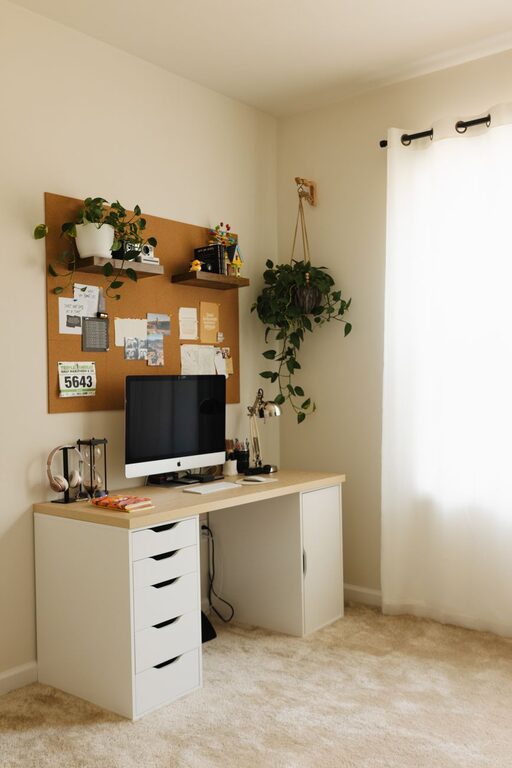
Tips for Creating a Productive Home Office Environment
Creating a productive home office environment is essential for anyone working remotely or handling tasks from home. A well-designed workspace can improve focus, reduce distractions, and make your workday more comfortable. Whether you have a dedicated room or a small corner in your living space, these tips will help you create a home office that supports productivity and well-being.
Choose the Right Location
Selecting the right spot for your home office is the first step. Ideally, it should be a quiet area where you can avoid interruptions. If possible, choose a space with natural light, as it helps reduce eye strain and can boost your mood.
Consider the following when picking your home office location:
– Away from high-traffic areas like the kitchen or living room
– Near electrical outlets for your devices
– Well-ventilated for fresh air
– Sufficient space for your desk, chair, and any equipment
If space is limited, a foldable desk or a compact workstation can help you maximize your area.
Invest in Ergonomic Furniture
Comfort plays a big role in productivity. Spending hours in an uncomfortable chair or at a poorly positioned desk can lead to back pain and fatigue. Ergonomic furniture supports good posture and helps prevent discomfort during long workdays.
Here are some ergonomic essentials:
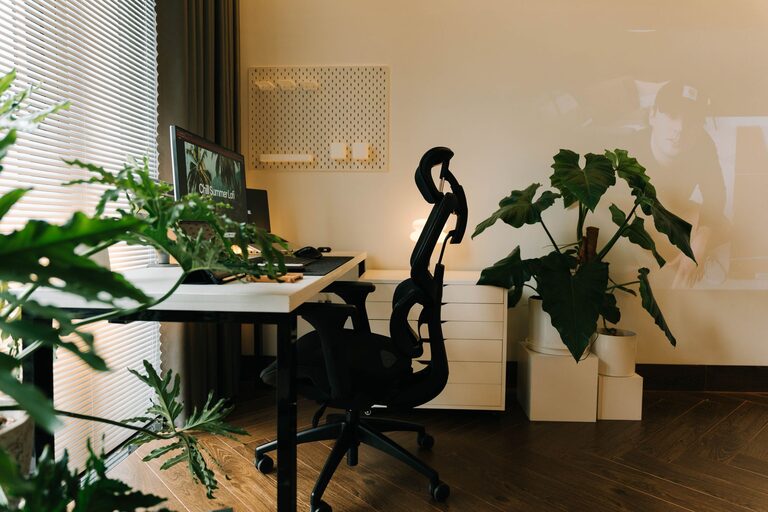
– Adjustable Chair: Look for one with lumbar support, height adjustment, and armrests.
– Desk at the Right Height: A desk where your elbows are at a 90-degree angle when typing is ideal.
– Keyboard and Mouse Placement: Keep them close to avoid overreaching.
– Monitor Position: Your screen should be at eye level, about an arm’s length away.
If new furniture isn’t in the budget, consider accessories like a footrest, laptop stands, or external keyboards to improve your setup.
Minimize Distractions
Home environments can present many distractions. To stay focused, it’s important to control your surroundings as much as possible:
– Set Boundaries: Inform family members or roommates of your work hours.
– Use Noise-Canceling Headphones: These can reduce background noise and help you concentrate.
– Limit Phone Notifications: Use “Do Not Disturb” modes during focused work sessions.
– Keep A Clutter-Free Desk: A tidy space reduces stress and keeps you focused on tasks.
Creating a routine and sticking to designated work hours can also help your mind separate work from home life.
Optimize Lighting
Good lighting reduces eye strain and keeps you alert. Whenever possible, arrange your desk near a window for natural light. If natural lighting is limited, invest in quality artificial lighting:
– Use a desk lamp with adjustable brightness and color temperature.
– Avoid placing your screen in front of or behind a window to reduce glare.
– Consider bulbs that mimic daylight for a more natural feel.
Adjust your lighting based on the time of day to keep your workspace bright without harsh shadows.
Organize Your Supplies and Equipment
Having everything you need within reach can streamline your workflow. Organize your office supplies and equipment to reduce time spent searching for items:
– Use drawer organizers and desktop trays.
– Keep frequently used items like pens, notebooks, and chargers nearby.
– Cable management solutions like clips and sleeves keep wires neat.
– Store important documents in labeled folders or a filing cabinet.
Regularly declutter and reassess your organization system to maintain efficiency.
Incorporate Personal Touches
Adding personal touches to your home office can make the space more inviting and motivate you to work. This could include:
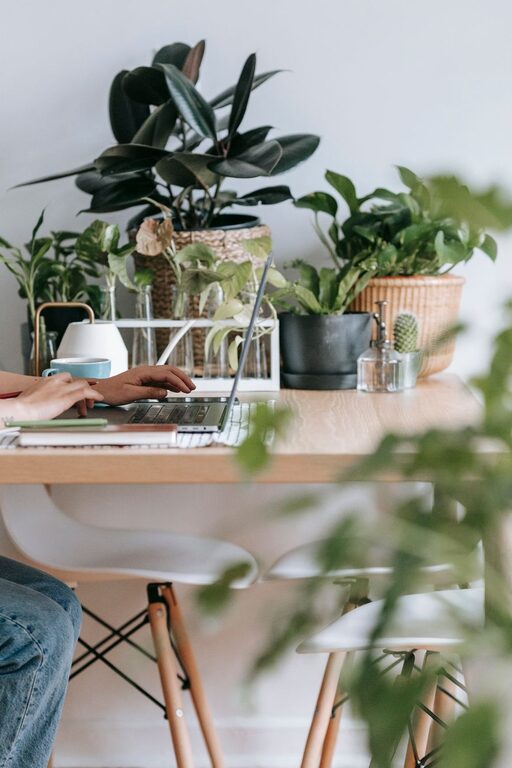
– Plants, which can improve air quality and add color
– Inspirational art or photos
– A comfortable rug or cushions
– A small whiteboard or corkboard for notes and reminders
Personal items can create a positive atmosphere while keeping the space professional.
Use Technology Wisely
Reliable technology is key for productivity. Make sure your internet connection is stable, and your devices are up to date. Here are some tech tips:
– Use dual monitors if possible for multitasking.
– Back up work regularly with cloud storage.
– Use productivity apps for task management and time tracking.
– Maintain your equipment to avoid unexpected breakdowns.
Keep software and antivirus programs updated to ensure security.
Take Breaks and Move
A productive home office isn’t just about the physical setup—it’s also about how you use the space. Taking short breaks and moving regularly helps maintain energy and focus:
– Follow the Pomodoro technique: work for 25 minutes, then take a 5-minute break.
– Stand up and stretch or walk around every hour.
– Consider a standing desk or a converter to alternate between sitting and standing.
Taking care of your physical health during work hours supports longer-term productivity.
—
Creating a home office that fosters productivity involves thoughtful choices about location, furniture, lighting, organization, and habits. By designing a comfortable and focused workspace, you can improve your work-from-home experience and achieve better results. Remember, your home office should work for you—feel free to adjust and personalize it as your needs evolve.
Related Post
Tips for Creating a Cozy and Productive Home Office Space
Creating a home office that balances comfort and productivity is key to making remote work…